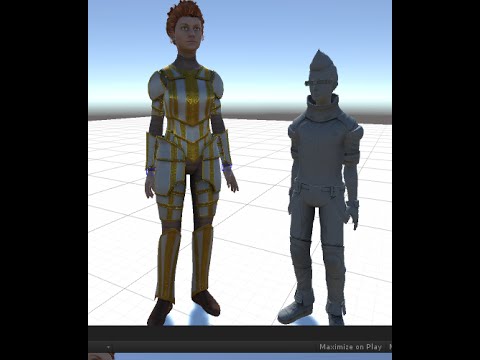
Developers could import an MCS character, but getting it playable required connecting the model, Unity’s standard character controller, animation data, object structure, and input. I built this tutorial around that integration point.
Why I made this
Importing a character proves that Unity can see the asset. Movement and animation prove that the character can participate in the game. The second milestone exposes the connections that matter: controller, animation data, object structure, and input.
I focus the walkthrough on those connections. The goal is not a polished character system; it is a playable result you can use as the foundation for one.
The path from asset to prototype
I begin with the MCS character, connect it to Unity’s standard character assets, bring the controller and animation pieces together, and use play mode to verify the result.
Running and jumping are deliberately simple tests. They make it obvious whether the controller is responding and whether the visible motion matches the input.
Why I kept the scope small
Character systems can expand quickly into cameras, blending, physics, combat, networking, and custom input. None of those questions need to block the first proof of concept.
By keeping the first outcome narrow, I give you a known-good point. From there, every improvement can be introduced as a change to a working system instead of another variable in an unfinished setup.
Looking back
- I understood how the character asset, controller, animations, hierarchy, and input needed to connect.
- I reduced the integration to a visible first success—running and jumping.
- I connected the components in the same order a learner needed to understand them.
- I kept cameras, combat, networking, and custom input outside the first-use path.
- I finished in play mode with a result the viewer could immediately verify.
Published in early 2016, this is another concrete example of the work recurring across the archive: learn the integration, find the point where developers are likely to stall, and build the shortest useful path through it.
A note before you follow it
I recorded this in 2016, and the Unity ecosystem, standard assets, and MCS/Morph3D tooling have changed since then. Treat it as an archive of the workflow and teaching approach, then check current documentation for the modern implementation.